Submitting your first retrosynthesis
Run a target molecule end-to-end, from SMILES to finished routes.
To submit a retrosynthesis job, open the Retrosynthesis page from the sidebar. This tutorial walks through a first run end-to-end, from a SMILES string to a finished route tree.
Pick a target molecule
Any molecule works. For this first run, try aspirin — small enough to return results quickly, familiar enough that the proposed routes make chemical sense at a glance.
CC(=O)Oc1ccccc1C(=O)OAcetylsalicylic acid. Tap the button to launch the Retrosynthesis form with this target pre-filled.
Fill in the form
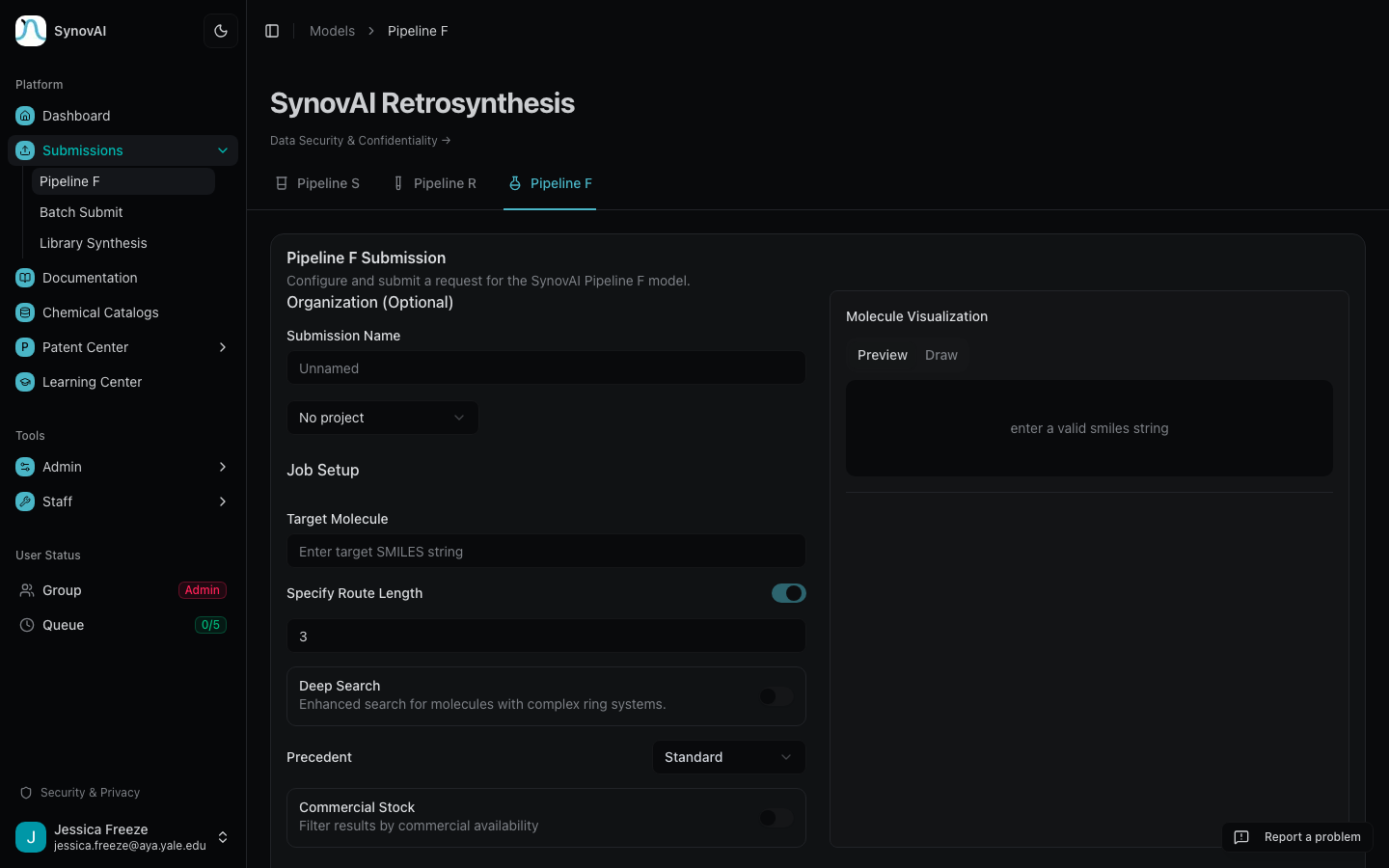
- Enter a SMILES string for your target molecule in the input field, or switch to the Draw tab to sketch the structure with Ketcher. The input validates in real time — a green checkmark means the structure parses cleanly.
- Configure options: set the number of steps (2–8), choose a precedent level, and optionally specify a starting material.
- Click Submit Request to queue the job. Your submission appears in
the table below the form with a status of
Queued.
Wait for the job to complete
Jobs run one at a time. A 3-step job typically finishes in 1–2 minutes; an 8-step job can take 5–10 minutes. The page auto-refreshes every 15 seconds while you have active jobs.
Once the status changes to Completed, click Details to open the
result viewer.
What to read next
- Understanding your results — interpret scores, badges, and hover cards on a finished result.
- Troubleshooting — what to do if the job returns empty, is rejected, or gets stuck.